
In today’s competitive digital landscape, having a website alone is not enough to attract local customers. When people need a service, product, or business nearby, they often search directly on Google. Whether they are looking for a digital marketing agency, hospital, restaurant, salon, educational consultancy, or real estate company, their buying journey usually starts with a local search.
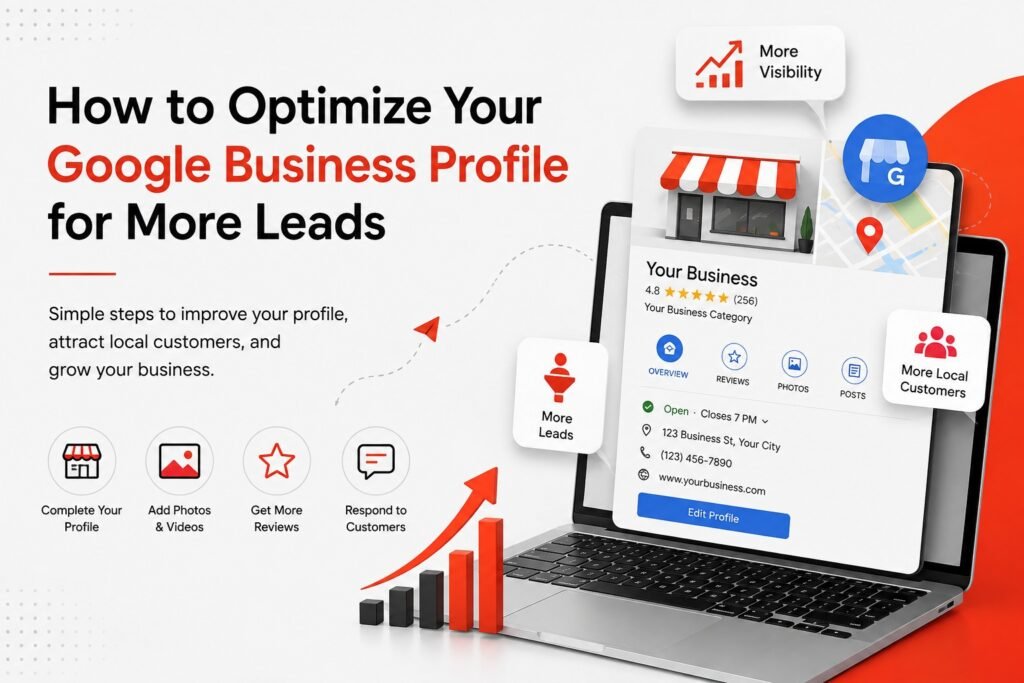
This is where Google Business Profile (GBP) becomes one of the most powerful tools for local businesses. A properly optimized Google Business Profile helps your business appear in Google Search and Google Maps, making it easier for potential customers to discover, trust, and contact you.
Many businesses create a Google Business Profile but fail to optimize it effectively. As a result, they miss valuable opportunities to generate phone calls, website visits, appointment bookings, and qualified leads.
In this guide, you’ll learn how to optimize your Google Business Profile to improve local visibility, attract more customers, and generate consistent business growth.
What Is a Google Business Profile?
Google Business Profile is a free business listing provided by Google that allows businesses to manage how they appear across Google Search and Google Maps. A complete profile can include your business name, address, phone number, website, operating hours, photos, videos, services, reviews, business description, and updates.
When users search for businesses in their area, Google often displays local results before traditional website listings. This gives businesses a valuable opportunity to connect with potential customers who are actively looking for their services.
For example, if someone searches for “digital marketing agency in Vijayawada,” Google may display several local businesses in the Maps section before showing organic website results.
Why Google Business Profile Matters for Lead Generation
People searching for local businesses often have strong purchase intent. They are not simply browsing; they are looking for solutions. Searches such as:
- Dentist near me
- Salon near me
- Digital marketing agency in Vijayawada
- Real estate company near me
often indicate that the customer is ready to take action.
A well-optimized Google Business Profile helps customers:
- Find your business easily
- Learn about your services
- Call your business directly
- Visit your website
- Request directions
- Read reviews
- Compare your business with competitors
The goal is not just visibility. The goal is turning local searches into real leads and customers.
1. Choose the Right Business Category
Your primary business category is one of the strongest ranking signals in Google Business Profile.
Google uses your category to understand what your business offers and determine which searches your profile should appear for. Choosing the wrong category can limit your visibility even if the rest of your profile is optimized.
Best Practices:
- Select the category that best describes your primary service.
- Research competitor categories.
- Add relevant secondary categories.
- Avoid selecting unrelated categories for extra visibility.
For example, if your company mainly provides SEO, website development, and social media marketing, your primary category should accurately reflect a digital marketing agency.
2. Keep Business Information Accurate and Updated
One of the most common mistakes businesses make is providing incomplete or outdated information.
Your profile should always contain:
- Business Name
- Address
- Phone Number
- Website URL
- Business Hours
Consistency is important because inaccurate information can create confusion and reduce trust.
Imagine a customer finds your profile, calls your listed number, and discovers it no longer works. That customer will likely contact a competitor instead.
Keeping your information updated ensures a better customer experience and improves credibility.
3. Write a Strong Business Description
Your business description gives potential customers a quick overview of who you are and what you do.
A strong business description should explain:
- What your company offers
- Which services you provide
- Your target audience
- Your service locations
- What makes your business unique
For example, a digital marketing agency might mention:
- SEO Services
- Google Ads Management
- Social Media Marketing
- Website Development
- Local SEO
- Branding Solutions
- Lead Generation
Keep your description natural and customer-focused. Avoid keyword stuffing and focus on explaining the value your business provides.
4. Add All Relevant Services
Many businesses only add a broad service category and miss opportunities to showcase specific offerings.
Instead of listing only “Digital Marketing,” add detailed services such as:
- Search Engine Optimization (SEO)
- Google Ads Management
- Meta Ads
- Website Development
- Social Media Marketing
- Local SEO
- Content Marketing
- Lead Generation
Specific services help customers understand exactly what you offer and improve your chances of appearing in relevant searches.
5. Upload High-Quality Photos
Visual content can significantly improve your Google Business Profile.
People often want to see what a business looks like before contacting or visiting.
Depending on your industry, upload:
- Office photos
- Team photos
- Products
- Completed projects
- Work environment
- Service images
- Before-and-after photos
- Event photos
For example, a salon can showcase hairstyles and interior spaces, while a real estate company can display project photos and property images.
Authentic photos perform better than generic stock images because they build trust and demonstrate credibility.
6. Collect Genuine Customer Reviews
Reviews are one of the most influential ranking and trust factors in local SEO.
When potential customers compare businesses, reviews often influence their final decision.
Encourage satisfied customers to share their experiences by providing a review link after completing a service.
A simple request such as:
“We’d appreciate it if you could share your experience with us on Google.”
can help increase review volume naturally.
Avoid:
- Buying fake reviews
- Creating misleading reviews
- Incentivizing dishonest feedback
Authentic reviews provide long-term value and strengthen customer trust.
7. Respond to Every Review
Review management is just as important as review collection.
Responding to reviews shows that your business actively engages with customers.
For positive reviews:
- Thank the customer
- Acknowledge their feedback
- Express appreciation
For negative reviews:
- Remain professional
- Address concerns respectfully
- Offer solutions where possible
Customers often read responses before making contact, so thoughtful replies can positively influence purchasing decisions.
8. Publish Google Business Profile Posts
Google allows businesses to publish updates directly within their profiles.
These posts can be used to promote:
- New services
- Discounts
- Seasonal offers
- Events
- Product launches
- Company updates
- Blog articles
Regular posting keeps your profile active and gives potential customers fresh information about your business.
Include clear calls-to-action such as:
- Learn More
- Call Now
- Book Today
- Get a Quote
9. Use Strong Calls-to-Action
Every business profile should encourage visitors to take the next step.
Examples include:
- Call Now
- Book an Appointment
- Request a Quote
- Visit Website
- Contact Our Team
- Get Directions
Many businesses lose leads because they fail to clearly tell users what action to take.
A strong call-to-action helps guide visitors toward becoming customers.
10. Optimize for Local Keywords
Local SEO plays a major role in Google Business Profile performance.
Examples of local keywords include:
- Digital Marketing Agency in Vijayawada
- SEO Company in Vijayawada
- Best Salon in Vijayawada
- Real Estate Developers in Vijayawada
- Hospital in Vijayawada
Use these keywords naturally throughout:
- Website content
- Service pages
- Blog articles
- Google Posts
Avoid excessive repetition because keyword stuffing can harm user experience and may violate Google’s guidelines.
11. Connect Your Website with Your GBP
Your website and Google Business Profile should work together.
Ensure your website contains consistent information regarding:
- Business name
- Address
- Phone number
- Service locations
- Operating hours
Additionally, create dedicated pages for major services.
For example:
- SEO Services
- Google Ads Management
- Social Media Marketing
- Website Development
- Local SEO Services
Dedicated pages help search engines understand your expertise and improve visibility for specific search terms.
12. Build Local Citations
Local citations are mentions of your business information across the web.
These citations often include:
- Business Name
- Address
- Phone Number
- Website URL
Examples include business directories, industry websites, local listings, and business associations.
Consistency is essential.
If your phone number or address differs across websites, Google may become less confident about your business information.
13. Use Google Maps as a Lead Generation Tool
Many businesses overlook the lead generation potential of Google Maps.
When users search locally, they compare:
- Reviews
- Ratings
- Photos
- Business hours
- Distance
- Services offered
An optimized Google Maps presence can influence buying decisions before users ever visit your website.
Think of Google Maps as a powerful marketing channel rather than just a navigation tool.
14. Track Performance Metrics
Optimization is only effective if you measure results.
Monitor important metrics such as:
- Profile Views
- Search Appearances
- Website Clicks
- Phone Calls
- Direction Requests
- Customer Actions
- Leads Generated
Tracking performance helps identify opportunities for improvement.
For example, if your profile receives many views but few calls, you may need to improve:
- Photos
- Reviews
- Service Listings
- Call-to-Action
- Business Description
The ultimate objective is conversion, not just visibility.
15. Avoid Common Google Business Profile Mistakes
Many businesses unintentionally damage their local SEO by making avoidable mistakes.
Common Mistakes Include:
Using an Incorrect Business Name
Adding keywords unnecessarily can violate Google’s guidelines.
Choosing the Wrong Category
Select the most relevant category for your business.
Ignoring Reviews
Unanswered reviews make your profile appear inactive.
Using Poor-Quality Photos
Low-quality images reduce professionalism.
Outdated Information
Keep hours, phone numbers, and services current.
Keyword Stuffing
Write naturally and prioritize user experience.
Buying Fake Reviews
Fake reviews can damage credibility and trust.
Google Business Profile Optimization Checklist
Before considering your profile fully optimized, verify that:
✔ Business Name is Accurate
✔ Primary Category Selected Correctly
✔ Secondary Categories Added
✔ Address and Contact Information Updated
✔ Website Connected
✔ Business Hours Accurate
✔ Services Listed
✔ Photos Uploaded
✔ Reviews Collected
✔ Reviews Answered
✔ Google Posts Published
✔ CTA Included
✔ Local SEO Strategy Implemented
✔ Performance Monitored
How Long Does Google Business Profile Optimization Take?
There is no fixed timeline for local SEO success.
Results depend on factors such as:
- Competition
- Location
- Business Category
- Profile Completeness
- Review Quantity and Quality
- Website Authority
- Local Citations
- Overall SEO Strategy
Some businesses may see improvements within weeks, while others require several months of consistent optimization.
The key is treating your Google Business Profile as an ongoing marketing asset rather than a one-time setup.
Final Thoughts
A properly optimized Google Business Profile can become one of the most valuable lead-generation tools for local businesses.
By choosing the right category, maintaining accurate information, adding services, collecting reviews, uploading quality photos, publishing updates, and tracking performance, businesses can significantly improve their local visibility and attract more qualified customers.
Getting found on Google is only the first step.
Your profile should also encourage customers to call, visit, book appointments, request quotes, or contact your business.
Businesses that consistently optimize their Google Business Profile often gain a competitive advantage in local search results, build stronger customer trust, and generate more leads over time.
If your business relies on local customers, investing in Google Business Profile optimization should be an essential part of your digital marketing strategy.